Galleries

  • Case Study: A Small Business’s Cost-Saving Migration

    Case Study: A Small Business’s Cost-Saving Migration

    Hello and welcome back, friend!

    For the past five episodes we’ve been laying down the principles of zero-downtime architecture like a careful mason laying foundation stones. Today we finally get to watch the house go up. And not just any house — we’re looking at a genuine small business that turned a terrifying single point of failure into a resilient, highly available cluster while cutting their costs.

    I call this case study “The Vintage Vinyl Vault Migration,” and I think you’re going to love it. It’s the perfect proof that enterprise-grade resilience isn’t reserved for companies with enterprise-grade budgets.

    Let me paint the picture.


    The Ticking Time Bomb in the Back Office

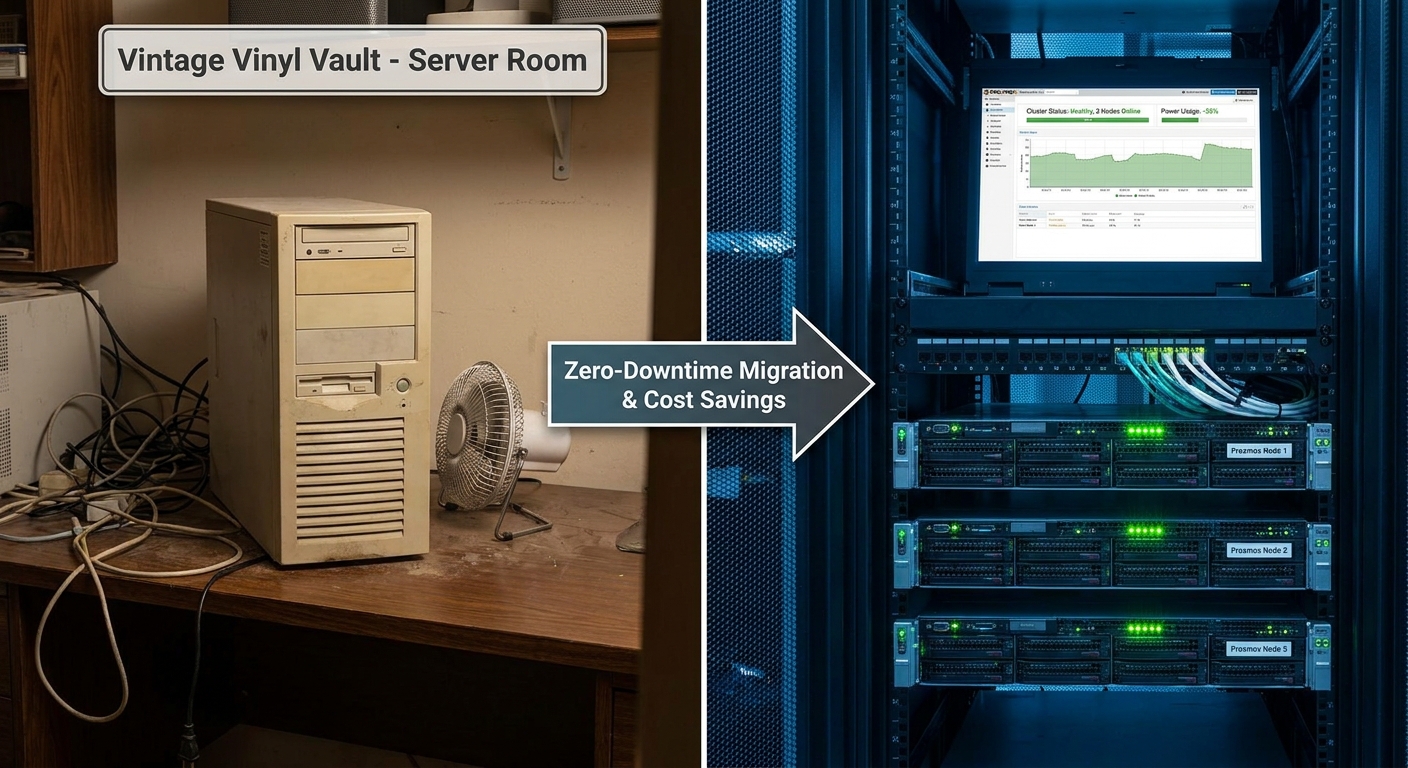
    Vintage Vinyl Vault is exactly the kind of business I’ve seen dozens of times. They sell rare records online. Their entire operation — website, inventory database, order processing, customer accounts — ran on one aging server humming away in the back office.

    You know the type. The machine was loud, hot, and had more miles on it than my first car. If the power supply died, the hard drive hiccuped, or Windows decided it was time for an unscheduled update, the entire business disappeared from the internet. No sales. No customer service. Just a sad “this site can’t be reached” message and a growing sense of panic.

    Beyond the obvious risk, their electricity bill was eye-watering, any maintenance required taking the whole store offline, and they had zero ability to handle traffic spikes during Record Store Day or Black Friday.

    They weren’t running a business. They were hostages to hardware.


    Crystal-Clear Goals (And One Brutal Constraint)

    When we sat down with them, their objectives were refreshingly honest:

    1. High availability was non-negotiable. The business could not die if a server died.
    2. Operational costs had to drop, especially power and cooling.
    3. Maintenance without downtime — they were tired of the 2 a.m. maintenance windows that felt like playing Russian roulette with their revenue.

    There was one constraint that shaped everything: a very tight budget.

    Expensive proprietary solutions were immediately off the table. Major cloud providers with their variable costs didn’t fit their model either. We had to be ruthlessly smart with every dollar.

    This is the kind of constraint I secretly love. Nothing focuses the mind like a limited budget.


    The Architecture We Built

    We designed a three-node Proxmox cluster with hyper-converged Ceph storage.

    Now, before your eyes glaze over, let me give you the simple version:

    Imagine three friends who each own a decent car. Instead of buying one ultra-expensive supercar, they decide to work together. Through clever software, those three normal cars can now share the workload, automatically cover for each other if one breaks down, and even move passengers between moving vehicles without anyone noticing.

    That’s what we built.

    Proxmox gave us enterprise features — live migration, high availability, clustering — at zero licensing cost. For storage, we used Ceph to turn the local disks in each server into one giant, self-healing, redundant pool. No expensive SAN required.

    For hardware, we didn’t buy one shiny new server. We bought three identical refurbished enterprise servers that were power-efficient and surprisingly punchy. The total hardware spend for all three machines was less than half of what a single new equivalent server would have cost.

    My personal rule of thumb: Refurbished enterprise hardware + open-source virtualization is one of the highest-ROI combinations available to small and medium businesses right now.


    The Migration: Zero Downtime or Bust

    Here’s where things get fun.

    My unbreakable rule in these projects is simple: never touch the live system until its replacement is fully built, tested, and bored.

    We built the entire three-node cluster in parallel, completely separate from the old server. Once it was running beautifully, we performed a Physical-to-Virtual (P2V) conversion during a quiet period. Essentially we took a perfect digital snapshot of their old server and turned it into a virtual machine.

    We brought the VM online on an isolated network and went full detective — testing the website, database queries, checkout flow, admin backend, everything. We were looking for even the tiniest paper cut.

    Of course, because the universe has a sense of humor, we found one.


    The “Everything’s Perfect… Wait, Why Is It So Slow?” Crisis

    After the P2V, the site worked perfectly. But database queries were timing out. The new hardware was objectively more powerful, yet performance was worse. This is the kind of maddening problem that makes grown engineers question their life choices.

    The culprit? The VM was using generic emulated network drivers.

    Think of it like trying to run a world-class orchestra through a children’s toy walkie-talkie. It technically works. It just works terribly.

    The fix was installing VirtIO paravirtualized drivers — basically teaching the operating system to speak the native language of the Proxmox host instead of using a clumsy universal translator. The performance difference was night and day. One reboot later and the system was flying.

    This is such a painfully common gotcha that I now include it in every migration checklist. Consider this your friendly warning.


    The Moment of Truth

    Once performance was perfect, we scheduled a very short, clearly communicated maintenance window (more of a “brief pause” than traditional downtime).

    We shut down the old physical server, did one final data sync, updated the public DNS records to point to the new cluster, and held our breath.

    Then we saw it — the first live order processed on the new infrastructure. Beautiful.

    But we weren’t done proving our point.

    I walked over to one of the three servers, looked the team dead in the eye, and pulled the power cord.

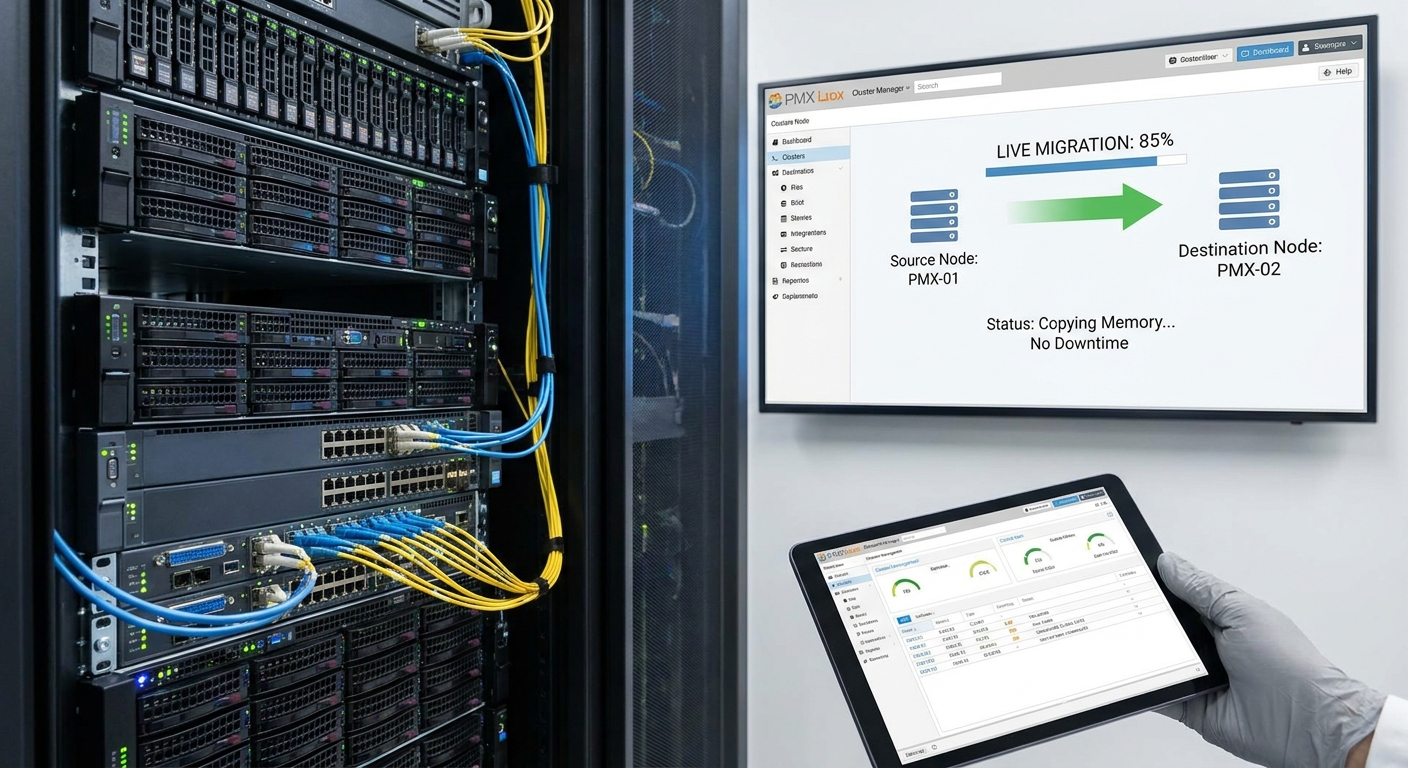
    The cluster detected the failure, automatically migrated the live virtual machine to another node, and kept serving customers. Not a single request was dropped. The website never even hiccuped.

    That moment — watching the system do exactly what we designed it to do — never gets old. It’s why I do this work.


    The Results That Make Accountants Smile

    Here’s where the story gets really satisfying:

    • The three new servers together used 35% less power than the single old beast
    • Hardware cost for all three machines was less than half of a single new equivalent server
    • The cost of downtime went from “thousands of dollars per hour” to effectively zero

    They didn’t just improve their infrastructure. They bought genuine business insurance at a discount.


    Four Lessons You Can Steal

    1. Open-source virtualization has grown up. Proxmox + Ceph delivers features that used to require six-figure budgets.
    2. Smart capital allocation beats shiny new hardware. Three good refurbished servers beat one expensive new one almost every time.
    3. Always budget time for the “surprise issue.” The network driver problem was completely predictable in hindsight. These moments are where experience pays for itself.
    4. Parallel build + rigorous testing is non-negotiable for true zero-downtime migrations. There is no clever shortcut here.

    The Balanced Truth

    I don’t want to paint an unrealistic picture. This approach was powerful, but it wasn’t effortless. There were late nights, moments of doubt, and plenty of documentation diving. That’s exactly why our next episode is so important.

    In Episode 7, we’re going to get real about “The ‘Gotchas’ of Open-Source Virtualization: What the Documentation Doesn’t Tell You.” I’ll share the scars so you don’t have to collect your own.


    The story of Vintage Vinyl Vault proves something I deeply believe: you don’t need a massive budget to build infrastructure that’s more resilient than most Fortune 500 companies had ten years ago. You just need clear priorities, methodical execution, and the right tools.

    You can absolutely do this.

    Now I’d love to hear from you — have you ever migrated a business off a single server? What was your scariest moment? Drop your stories in the comments. The best lessons usually come from the trenches.

    Until next time, keep building things that don’t break.

    — Your mentor in the server room
    Episode 7 drops soon. You won’t want to miss it.
  • Networking in Proxmox vs. VMware: Bridging the Gap

    Networking in Proxmox vs. VMware: Bridging the Gap

    Welcome back, friend!

    This is Episode 5 of Architecting Zero Downtime Infrastructure, and today we’re diving into one of my favorite topics: networking.

    I often call networking the central nervous system of your entire virtualized environment. When it’s healthy, you don’t even notice it. When something goes wrong? The whole body feels it — usually at the worst possible time.

    Today we’re comparing how Proxmox and VMware approach virtual networking, from the humble virtual switch all the way up to software-defined magic. My goal is to give you enough clarity to make confident decisions that support truly resilient infrastructure.

    Let’s plug in and get started.

    The Virtual Switch: Your Software Traffic Cop

    Picture a physical switch sitting in a server rack — all those blinking lights, moving packets around intelligently. Now imagine that entire device existing purely as software inside your hypervisor. That’s a virtual switch.

    Both platforms have them. They just have very different personalities.

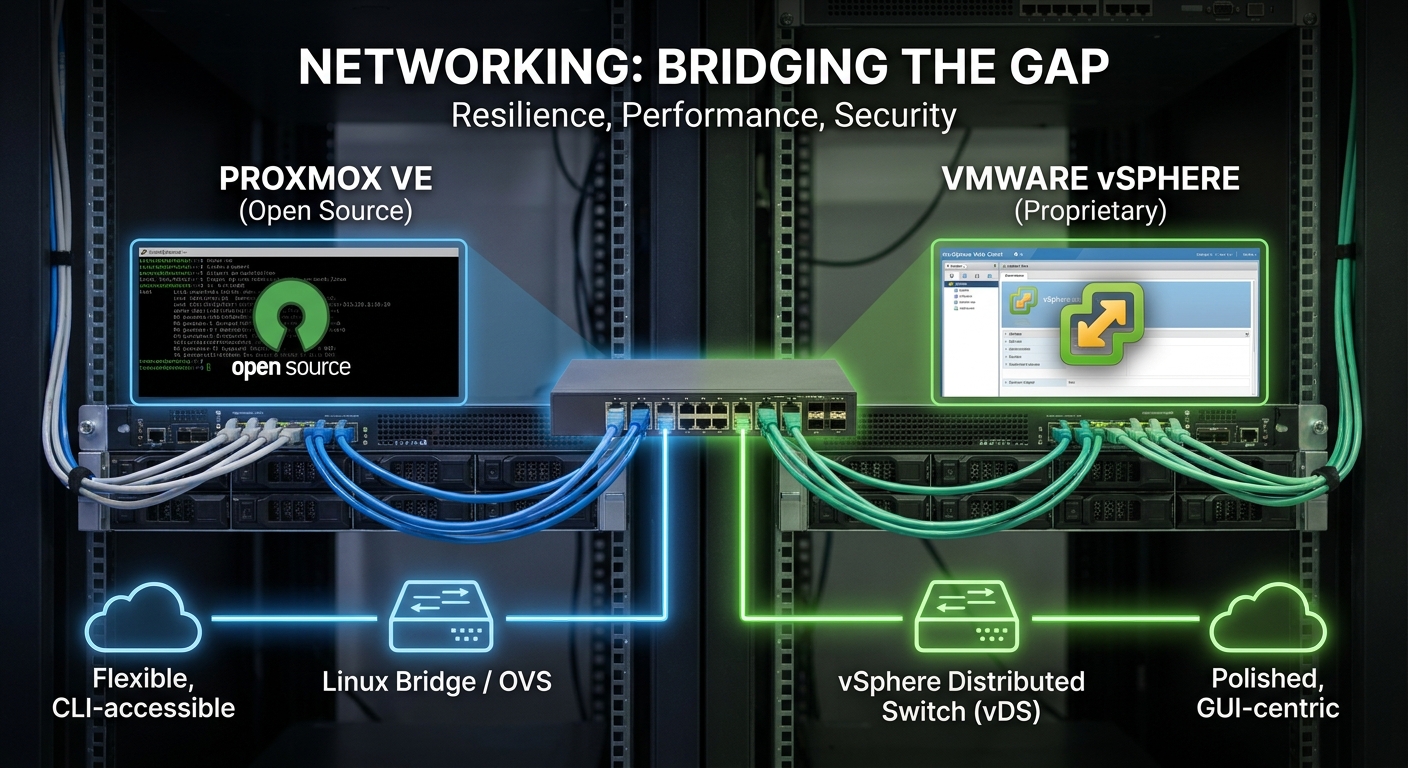
    VMware gives you the vSphere Standard Switch (vSS) as the foundation. It’s polished, predictable, and feels like it was designed by people who really love consistency. The star of the show is the Port Group — my favorite VMware networking concept.

    Think of a Port Group as a reusable policy template. You define the VLAN, security settings, and traffic shaping once, give it a sensible name, and then attach as many VMs as you want. It’s like having a rubber stamp that guarantees every machine in the “Production” group behaves exactly the same way. I’m a huge fan of this approach.

    For larger environments, VMware brings out the big guns: the vSphere Distributed Switch (vDS). This creates one logical switch that spans your entire cluster. Change a setting once in vCenter and it applies everywhere. It’s incredibly elegant — and, as we’ll discuss later, comes with a licensing cost.

    Proxmox takes a refreshingly different route. Instead of building its own proprietary networking layer, it says, “Why reinvent the wheel when Linux has been perfecting this for decades?” The default is the trusty Linux Bridge (usually called vmbr0).

    It’s simple, rock-solid, and surprisingly capable. But when you need more horsepower, Proxmox lets you enable Open vSwitch (OVS). This opens up a whole new world of granular flow control, tunneling protocols, and advanced features.

    The trade-off? You’re now swimming in the deeper waters of Linux networking. If your team lives in GUIs, this can feel like being handed the keys to a race car after years of driving an automatic. (Painfully common story, by the way.)

    VLANs: Building Secure Neighborhoods

    Segmentation isn’t optional in zero-downtime architecture — it’s table stakes for both security and performance.

    VMware makes this delightfully straightforward. You create a Port Group, slap a VLAN ID on it, and you’re done. Every VM attached to that group automatically gets the correct tagging. Clean, simple, scales beautifully.

    Proxmox gives you two main paths, and I have strong opinions here:

    1. The Explicit Approach: Create a separate bridge for each VLAN (vmbr0.10, vmbr0.20, etc.). This is wonderfully obvious and great for smaller setups.
    2. The Scalable Approach (my personal recommendation): Use a VLAN-aware bridge. You configure one bridge on the host and let the individual VMs specify their VLAN tag in their own network adapter settings.

    The second method keeps your host configuration remarkably clean. My unbreakable rule: if you’re managing more than five VLANs, go VLAN-aware. Your future self will thank you.

    No Single Points of Failure: Bonding and Teaming

    Here’s a truth I’ve learned the hard way: a single physical NIC is a liability, not a feature.

    Both platforms solve this through link aggregation (called NIC Teaming in VMware and Bonding in Linux/Proxmox).

    VMware offers several teaming policies. The simplest (“Route based on originating port ID”) gives you excellent failover. For more active throughput, you can use IP hash — but only if your physical switches are configured to play nice.

    Proxmox uses standard Linux bonding modes. My go-to for most production workloads is mode 4 (802.3ad/LACP). Yes, it requires switch configuration, but the payoff is worth it.

    My minimum standard for any serious workload: at least a two-port LACP bond. This protects you from cable disasters, dying NICs, and switch port failures. I’ve seen this exact setup save multiple environments from what would have been major outages.

    The SDN Revolution: NSX vs Proxmox SDN

    Now we’re entering the really fun stuff.

    VMware’s NSX is the enterprise champion of Software-Defined Networking. It lets you treat the network as code. The micro-segmentation capabilities are genuinely impressive — you can put a firewall around every single workload. It completely decouples virtual networking from physical hardware using overlays.

    It’s powerful. It’s also expensive.

    What fascinates me about Proxmox is how they’ve brought serious SDN capabilities to the masses. Using open standards like VXLAN, BGP, and EVPN, you can build sophisticated virtual networks that span clusters and even datacenters — all configured through the web GUI.

    This isn’t “enterprise lite.” It’s genuinely powerful networking that doesn’t require a six-figure licensing agreement. I get genuinely excited when I think about what this means for smaller teams and organizations.

    Philosophy Matters: GUI vs “The Metal”

    This is where the cultural differences become most obvious.

    VMware’s world is beautifully integrated and GUI-first. Almost everything can be done through vCenter with a consistent, predictable workflow. For many teams, this coherence is worth the price of admission.

    Proxmox takes a more transparent approach. The web GUI is excellent for day-to-day tasks, but it never tries to hide what’s happening underneath. You can always crack open /etc/network/interfaces and see (and edit) the actual Linux configuration.

    I love this dual nature. When things are calm, use the GUI. When you need to automate, script, version-control with Git, or do something truly custom? The command line and configuration files are right there.

    It’s the difference between a beautifully wrapped present and being handed the tools to build your own.

    How to Choose: The Three Question Framework

    So which one should you use?

    After watching many organizations make this decision, I’ve distilled it down to three honest questions:

    1. Cost Reality
    VMware’s advanced features (Distributed Switches, NSX, etc.) come with serious licensing costs. Proxmox is open source. The financial difference can be staggering.

    2. Team DNA
    Are your people vCenter power users who live in the GUI? Or are they Linux-native engineers who enjoy understanding what’s happening under the hood? Forcing the wrong culture fit creates unnecessary friction.

    3. Actual Requirements
    Do you need straightforward, reliable networking? Or are you building something that genuinely requires micro-segmentation and advanced SDN capabilities?

    Answer these three questions honestly and the right platform usually becomes obvious.

    The Bottom Line

    VMware offers a mature, polished, tightly integrated networking ecosystem that feels like a luxury car — smooth, feature-rich, and expensive to maintain.

    Proxmox offers a flexible, transparent, incredibly powerful platform that leverages the full might of the Linux networking stack. It’s more like a high-performance workshop where you have access to every tool, if you’re willing to learn how to use them.

    Neither is universally “better.” The best choice is the one that aligns with your budget, your team’s skills, and your actual needs.


    Thanks for hanging out with me today! I hope this comparison gave you some clarity (and maybe even some excitement) about the networking possibilities in both platforms.

    Next time in Episode 6: “Case Study: A Small Business’s Cost-Saving Migration” — we’ll look at how one company successfully moved from VMware to Proxmox, the surprises they encountered, and the lessons that could save you from making the same mistakes.

    Drop your thoughts in the comments! Have you made the switch between these platforms? Are you team Linux Bridge or team Open vSwitch? I read every comment.

    Until next time — build resiliently, my friends.

    — Your infrastructure mentor

  • Proxmox 101: Moving Your VMs Without Losing Your Mind

    Proxmox 101: Moving Your VMs Without Losing Your Mind

    Hello and welcome back to Architecting Zero Downtime Infrastructure!

    This is our fourth episode, and today we’re tackling what I consider one of the most valuable operational skills in any Proxmox environment: moving virtual machines from one physical host to another without causing chaos.

    Think of it this way — if your cluster is a living, breathing orchestra, VM migration is your ability to swap out instruments while the music is still playing. When you master this, you stop reacting to problems and start engineering genuine flexibility.

    By the end of this post, you’ll know exactly which migration method to use in any situation, how to execute it confidently, and how to avoid the painful (and surprisingly common) pitfalls that make grown admins question their life choices.


    Why VM Mobility Matters More Than You Think

    Let’s be honest. Moving VMs sounds boring on paper. But the ability to relocate workloads gracefully is the foundation of resilient infrastructure.

    Here are the real-world scenarios where this skill becomes pure gold:

    Planned Maintenance
    Need to add RAM, replace a failing drive, or apply kernel updates? You can evacuate every VM first, do your work, then bring everything back. The users never notice.

    Proactive Load Balancing
    That one host has been running hot for weeks? Instead of hoping nothing explodes, you can surgically move the noisy VMs to a quieter node before performance degrades.

    Smart Storage Economics
    Move a VM from blazing-fast NVMe storage to high-capacity HDDs when it transitions from “hot” project to “long-term archive.” Your wallet will thank you.

    The Foundation of Real High Availability
    All the fancy HA features we’ll talk about later are really just automated versions of the migration techniques we’re covering today.

    This isn’t just a feature. It’s infrastructure freedom.


    Cold Migration: The Reliable Safety Net

    Let’s start with the simplest approach — what we call a cold migration.

    The process is exactly what it sounds like:

    1. Gracefully shut down the VM
    2. Right-click in the Proxmox web interface ? Migrate
    3. Choose your destination node

    I always recommend starting here when you’re learning because it’s nearly bulletproof. It doesn’t care whether you’re using local storage or shared storage. It just works.

    The obvious downside? The VM is offline during the entire process. For a development or test machine, this is perfect. For a production database server? Not so much.

    My rule of thumb: If the VM can tolerate downtime, use cold migration. It’s the method I reach for when I want zero drama.


    Live Migration: The Holy Grail

    Now we’re talking about the cool stuff.

    Live migration lets you move a running VM from one host to another with zero perceptible downtime. We’re talking sub-second interruptions that don’t even drop TCP connections. It’s borderline magical when you see it the first time.

    But magic always has requirements.

    The fundamental key is shared storage (NFS, iSCSI, Ceph, etc.). If all your hosts can see the same disk files, Proxmox doesn’t need to move the virtual disks — it only needs to move the living memory of the VM.

    Here’s what actually happens under the hood:

    Proxmox starts copying the VM’s memory pages to the destination host. It does this iteratively, keeping track of which pages change while the copy is happening. Once the two hosts are almost perfectly in sync, it pauses the VM for a tiny fraction of a second (usually 20-100ms), copies the final “dirty” pages, and flips control to the new host.

    Your users? They rarely notice anything.

    My unbreakable rule: In any serious cluster, I insist on a dedicated 10GbE (or better) migration network. This isn’t optional if you want reliable live migrations. The network is the highway your VM’s entire memory has to travel across — don’t make it use a dirt road.


    When You’re Stuck With Local Storage

    Many of us (myself included in the early days) run our clusters with local disks. Don’t worry — Proxmox has you covered.

    Offline Storage Migration is beautifully simple. You power off the VM, tell it to migrate, and Proxmox automatically handles both the disk transfer and the VM configuration in one operation. It’s remarkably clean.

    But the real game-changer is Live Storage Migration.

    This feature still blows my mind. It can move a running VM and its disks from one host’s local storage to another host’s local storage simultaneously. No shared storage required.

    The power is incredible. The resource consumption is… significant.

    I always warn people: this operation is heavy. It hammers both network bandwidth and storage I/O on two hosts at once. Think of it like moving houses while simultaneously hosting a dinner party. It can be done, but everyone’s going to feel it.

    Use it deliberately. Schedule it during maintenance windows when possible.


    When Things Go Wrong (And They Will)

    Let’s talk about the painfully common failure modes so you don’t have to discover them at 2 AM.

    The error log is your best friend. When a migration fails, read it. Don’t just restart the task and hope.

    The usual suspects are:

    • CPU Mismatch: Moving between dramatically different processor generations (especially Intel to AMD or very old to very new). The VM may refuse to start on the new host.
    • Network Issues: Firewall blocking ports 60000-60003, or a congested/slow migration network causing timeouts.
    • Storage Problems: Insufficient space or permission issues on the target. (You’d be shocked how often this one bites people.)

    My diagnostic process: Check CPU compatibility first, then network, then storage. Ninety percent of migration issues are solved by these three checks.


    From Manual Hero to Automated Resilience

    Here’s where everything clicks together.

    All the techniques we’ve discussed are building blocks for Proxmox High Availability (HA).

    HA is essentially an automation layer that watches your cluster. If a node dies, HA automatically restarts those VMs on healthy nodes using the same migration capabilities we’ve been talking about. You go from “I need to be awake and ready to respond” to “the cluster heals itself while I sleep.”

    That’s not just convenient. It’s a completely different philosophy of infrastructure.


    Your Migration Toolkit, Summarized

    • Cold Migration: Universal, safe, requires downtime
    • Live Migration: Zero-downtime magic (requires shared storage)
    • Live Storage Migration: The nuclear option for local storage setups

    The real skill isn’t knowing how to do all three. It’s knowing which one to use in any given situation.

    Master these tools and you’ll never look at your cluster the same way again.


    That’s it for today, my friends.

    You now have a complete mental model for moving VMs in Proxmox with confidence. Next time, we’re going deep on networking — specifically “Networking in Proxmox vs. VMware: Bridging the Gap.” We’ll talk virtual switches, VLANs, bond configurations, and how to build the rock-solid virtual networks that make everything else possible.

    I can’t wait to share it with you.

    In the meantime, I’d love to hear from you. What’s been your biggest migration horror story (or triumph)? Drop a comment below or reach out on social. I read every single one.

    Until next time — keep building systems that just work.

    — Your friendly infrastructure mentor

  • Guest Interview: A SysAdmin’s VMware to Proxmox Journey

    Guest Interview: A SysAdmin’s VMware to Proxmox Journey

    Hello and welcome back to Architecting Zero Downtime Infrastructure.

    Today we’re tackling one of the most anxiety-producing shifts happening in data centers right now: the great VMware exodus. Between the licensing changes, the per-core pricing shock, and the strategic uncertainty, what used to be a comfortable “we’ll just renew” conversation has become a genuine board-level strategic imperative.

    I recently sat down with someone who didn’t just talk about leaving VMware — he actually did it. David led his team through a full production migration to Proxmox VE. No smoke, no mirrors, and (most impressively) no meaningful downtime.

    What follows isn’t theory. It’s the real story — the good, the painful, the “we definitely didn’t see that coming” moments — straight from the trenches.


    The Catalyst: When Cost Meets Control

    Every big IT project needs a spark. For many organizations, Broadcom’s VMware licensing changes provided a five-alarm fire.

    I asked David the question I ask every leader in this situation: Was this really about money, or was something deeper going on?

    His answer didn’t surprise me, but it was refreshing to hear it said out loud.

    Yes, the financial pressure was real. The new subscription model and core-based licensing delivered a budget forecast that made leadership’s eyes water. But beneath the numbers was a strategic realization: they were tired of being locked into a vendor’s roadmap. They wanted to own their architecture again.

    The move wasn’t just about escaping rising costs. It was about reclaiming control.

    That’s a distinction that matters. Organizations that only focus on the sticker price often make reactive choices. The ones that treat it as a strategic repositioning tend to build much stronger foundations.


    The Bake-Off: Finding the Right Successor

    Once the decision was made, David’s team ran a proper evaluation. They looked at XCP-ng, Hyper-V, oVirt, and Proxmox.

    I love a good scorecard, so I asked him about his.

    Their non-negotiables were:
    – Strong live migration capabilities
    – Integrated, enterprise-grade backup
    – Solid storage options (they wanted to use Ceph)
    – An active community and commercial support availability
    – Reasonable learning curve for the team

    Proxmox won for three reasons that continue to resonate with me.

    First, it offered an open-source core with optional commercial support — the best of both worlds. Second, its integrated storage and backup features dramatically reduced complexity compared to bolting separate solutions together. And third, the philosophy just felt right. It respected engineers instead of trying to hide the Linux underneath.

    As David put it, “We wanted to understand our infrastructure again instead of just clicking through wizards.”

    I felt that in my soul.


    The Proof of Concept: Try to Break It

    Here’s my unbreakable rule: Never trust a datasheet. Make it cry in a lab first.

    David’s team built a small three-node cluster and went to war with it. They tested live migration under load, validated the backup system with real data, and deliberately tried to break storage failover.

    The learning curve was real. After years in the polished vCenter interface, Proxmox’s web UI felt… different. But once they pushed past the initial “where’s the button?” frustration, they discovered something surprising: the UI was actually more transparent about what was happening under the hood.

    Pleasant surprise: Hardware passthrough (especially for GPUs) was dramatically easier than they expected.

    Early gotcha: Their monitoring tools didn’t always interpret Proxmox’s metrics the same way, forcing them to rethink some of their alerting logic.

    The PoC wasn’t just technical validation — it was confidence building. By the end, the team wasn’t just convinced. They were excited.


    The Migration: Phased, Planned, and (Mostly) Boring

    This is where migrations die or succeed.

    David’s approach was textbook perfect: start boring. They began with development and non-critical systems. Each successful wave increased both skill and organizational comfort.

    For VM conversions, they landed on a combination of qm importdisk and virt-v2v depending on the workload. The networking translation was, as expected, where the most brain cycles were spent. Mapping vSphere port groups and vSwitches to Linux bridges and bonds required careful documentation, but once the patterns were established, it became surprisingly routine.

    The entire migration was completed in carefully orchestrated phases over several months. The business never felt it.

    That’s the dream.


    The Moment Everything Got Weird

    Of course, no migration this size gets through unscathed.

    I asked David for the war story — that one moment where the documentation failed and engineering skill had to take over.

    His answer involved Ceph, a particularly noisy Microsoft SQL Server, and some very confused OSDs.

    The database was generating I/O patterns that caused Ceph to constantly rebalance. Performance tanked. The team found themselves deep in the weeds of CRUSH maps, PG tuning, and network latency between nodes.

    The solution wasn’t in any official guide. It came from a late-night forum thread, a very patient community member, and some creative adjustments to both the Ceph configuration and the SQL Server’s storage layout.

    This is my favorite part of these stories. The technical solution was interesting, but the real lesson was that they had built enough institutional knowledge by that point to even know where to look for help.


    The Human Side: Moving People, Not Just VMs

    Here’s what many technical leaders get wrong: they treat the migration as purely technical.

    David’s team invested heavily in the human transition. They created hands-on labs, ran “Proxmox Fridays,” and deliberately paired their strongest VMware engineers with the new platform. Instead of telling people their skills were obsolete, they positioned the change as leveling up their infrastructure skills.

    The shift from point-and-click vCenter to Proxmox’s combination of GUI and CLI was a feature, not a bug. Once the team saw how much faster they could work at the command line, resistance melted away.


    Life After VMware: The Report Card

    Six months later, what actually changed?

    The numbers are impressive:
    62% reduction in virtualization costs
    – Noticeable performance improvement on storage-intensive workloads
    – Dramatically faster provisioning (LXC containers are now used heavily alongside traditional VMs)
    – Much greater visibility into what’s actually happening on the hosts

    Most importantly, David’s team feels in control of their infrastructure again. They can implement new capabilities without waiting for a vendor’s roadmap or paying for new licensing tiers.

    They’re not just running VMs differently. They’re thinking differently about their entire stack.


    My Three Biggest Takeaways for You

    After listening to David’s experience, three truths stand out:

    1. The financial pressure is real, but the strategic opportunity is bigger. Don’t just optimize for cost — optimize for control and flexibility.
    2. Planning beats heroics every single time. The teams that succeed are the ones that build small labs, document dependencies, and move methodically.
    3. The community is your hidden accelerator. David’s team repeatedly found answers in the Proxmox forums that saved them days of troubleshooting.

    Final Advice from the Trenches

    If you’re standing at the beginning of this journey, here’s the distilled wisdom:

    Start tiny. Build a three-node lab. Break things. Rebuild them. Get comfortable before anything production touches the new platform.

    Audit everything. Map every dependency, every network flow, every backup job. This work feels slow until it saves you from a catastrophic surprise.

    Bring your people with you. This isn’t just a technology change — it’s a capability upgrade. Treat it that way.


    David, thank you for sharing your journey with such honesty and clarity. Your story is going to save a lot of teams from learning these lessons the hard way.


    And that, my friends, brings us to the perfect setup for our next episode.

    We’re getting tactical.

    Next time: “Proxmox 101: Moving Your VMs Without Losing Your Mind” — a practical, step-by-step guide for engineers ready to roll up their sleeves.

    You won’t want to miss it.

    In the meantime, I’d love to hear from you. Are you currently wrestling with a VMware migration decision? What’s your biggest concern? Drop your thoughts in the comments or reach out on LinkedIn.

    Until next time, keep building infrastructure that doesn’t break when the world changes.

    — Your infrastructure mentor

  • Pre-Flight Check: Planning Your Proxmox Migration

    Pre-Flight Check: Planning Your Proxmox Migration

    Hello and welcome back!

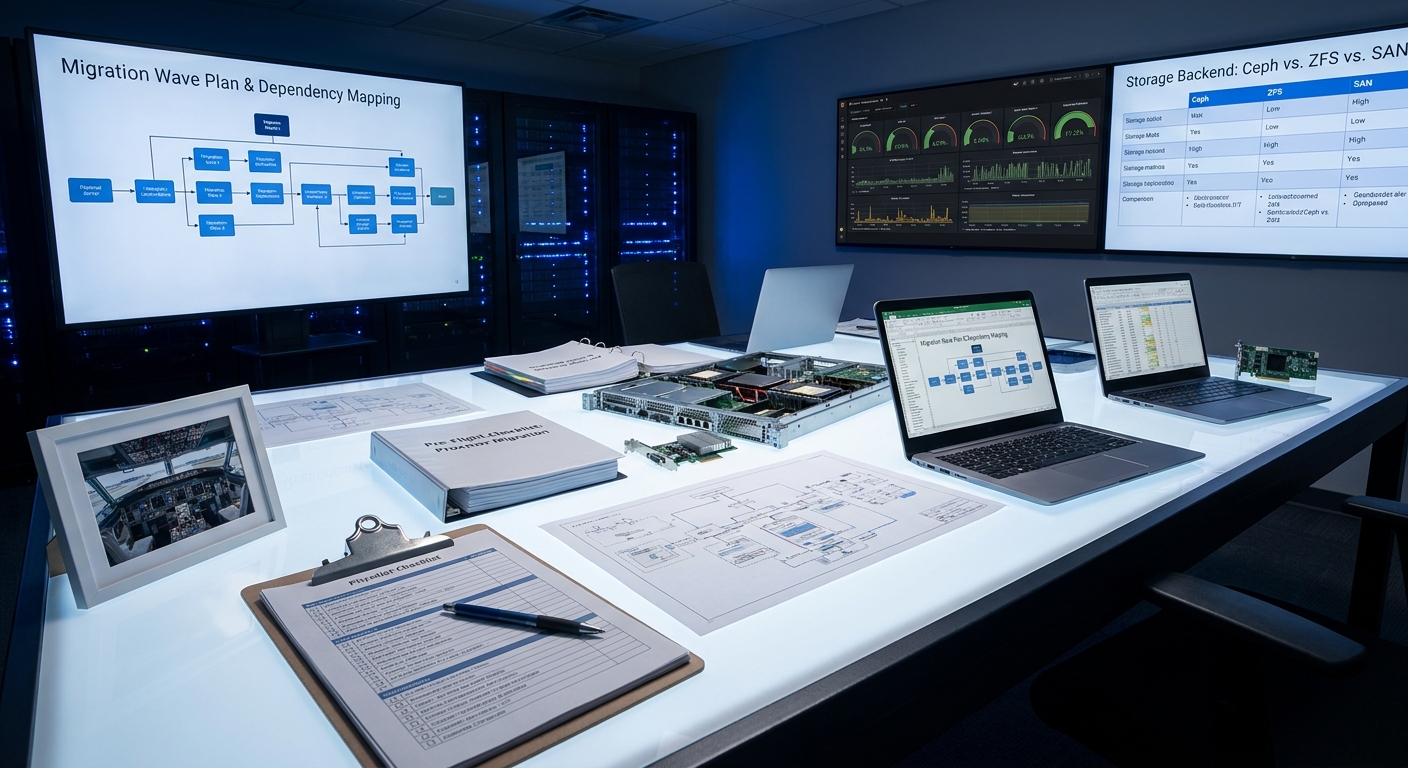
    If you’ve ever watched a pilot walk around their aircraft before takeoff, you’ve seen something beautiful: professional paranoia. They’re not hoping everything works—they’re confirming it. Today we’re bringing that same mindset to your Proxmox migration.

    Welcome to the single most important episode in this entire series. We’re calling it the Pre-Flight Check, and by the end of this post, you’ll have a complete checklist that turns a potentially terrifying migration into a controlled, almost boringly successful operation.

    Because here’s the truth I’ve learned the hard way: the real work of any migration happens on the ground, not during the move.


    Why Most Migrations Become Weekend Nightmares

    I’ve seen it too many times. A team gets excited about new hardware, spins up Proxmox, and starts moving VMs with more hope than strategy. The result? Extended downtime, mysterious performance regressions, or that special moment when you discover an undocumented dependency at 2:17 a.m. on a Sunday.

    This planning phase isn’t bureaucratic busywork—it’s your primary risk mitigation strategy.

    The very first question we ask isn’t “How do we move these machines?” It’s “Why are we doing this?”

    You need a crisp, measurable definition of success. Is it literally zero data loss? Is it under five minutes of downtime for critical services? A 15% performance improvement? Write it down. Make it your North Star. Every decision that follows gets measured against this definition.


    Discovery: Mapping Your Virtual Estate

    Once you know why, it’s time to figure out what you actually have.

    This goes way beyond a simple spreadsheet of CPU, RAM, and OS versions. I want to know the personality of each machine.

    • What are its actual disk I/O patterns?
    • How chatty is it on the network?
    • Which services does it truly depend on?

    The most critical (and most overlooked) part is dependency mapping. I like to think of it as figuring out which VMs are family—they need to travel together. Migrate a web server without its database and you’ve just created a very expensive paperweight.

    Once you have this map, you can create “migration waves”—logical groups of systems that belong together. This is the difference between a controlled relocation and digital whack-a-mole.


    The Hardware Reality Check

    Now let’s talk about the physical world. This is where I see teams get surprisingly sloppy.

    My first move is always the same: I take the exact bill of materials for my target servers and cross-reference it against Proxmox’s hardware compatibility list.

    Pro tip: Don’t obsess over the CPUs first. The usual villains are the I/O components—RAID controllers, network cards, and HBAs. These are the pieces that have to speak fluent “outside world,” and driver issues here will ruin your day.

    While you’re at it, update every piece of firmware. It’s a 10-minute task that has saved me days of troubleshooting. Consider it cheap insurance.


    Choosing Your Storage Philosophy

    This is one of the most important long-term decisions you’ll make. Get this right and everything else becomes easier.

    Here’s how I think about the three main paths:

    Local ZFS – When I want a powerful, self-contained node with rock-solid data integrity, this is my go-to. The performance is fantastic. The trade-off? It’s not shared, so live migration between nodes isn’t an option.

    Ceph – This is the hyper-converged superstar. It takes local disks across multiple nodes and creates one resilient, distributed storage fabric. It’s magical when done right, but it demands a properly designed network. If you’re going Ceph, treat your storage network like it’s VIP traffic.

    Existing SAN/NAS – Sometimes the pragmatic choice is best. If you already have a solid enterprise storage system, connecting via NFS or iSCSI can be stable and sensible.

    There’s no universally “correct” answer—only the one that best serves your definition of success.


    Network Design: Don’t Let Traffic Fight

    In Proxmox, two concepts rule the networking world: Bridges and Bonds.

    Think of a Linux Bridge as a virtual switch inside your host, and a Bond as a team of network cards working together for redundancy or speed. My nearly unbreakable rule: create the Bond first, then attach your primary bridge to it.

    But the real secret to a happy cluster is segmentation.

    On any production deployment, I insist on at least three separate networks:
    1. Management access
    2. General VM traffic
    3. Dedicated high-speed storage network (non-negotiable for Ceph)

    Keep that storage traffic isolated and your cluster will thank you with predictable, stable performance.


    Cold Migration vs Live Migration

    You have two fundamental paths: cold (offline) and live (online).

    My strong recommendation for most organizations? Start with cold migrations.

    They’re more predictable, significantly safer, and let you validate your process without heroics. Proxmox’s vzdump tool combined with qm importovf for foreign VMs makes this surprisingly straightforward.

    Live migration is beautiful when it works—but it adds complexity and risk. I use it, but only after I’ve proven the entire environment with cold migrations first.


    The Lab: Where Theory Meets Reality

    This step is non-negotiable.

    You don’t need a perfect replica of production. I’ve built effective proof-of-concept environments with nothing but a single spare server pulled from the rack.

    The goal is simple: run a real production VM clone through your entire planned process. This is where you’ll discover that one weird driver issue, that one configuration quirk you never knew existed, that one assumption that was completely wrong.

    Better to find these things in a lab than at 3 a.m. on migration weekend.


    The Two Documents That Save You

    Once your lab validates the approach, it’s time to document everything in two critical artifacts:

    The Runbook – A minute-by-minute, command-by-command battle plan. It should include success criteria for each step and expected durations. Think of it as your migration GPS with turn-by-turn instructions.

    The Rollback Plan – This is even more important. Define clear triggers: “If performance drops more than X% below baseline” or “If service Y doesn’t respond within Z seconds, we roll back.” Remove emotion from the equation. Give yourself permission to pull the ripcord without debate.


    Your Five-Pillar Pre-Flight Checklist

    Let’s bring it all together. A proper pre-flight check rests on five pillars:

    1. Deep Discovery – Know your estate and all its hidden relationships
    2. Hardware Validation – Confirm compatibility before you commit
    3. Strategic Architecture – Make smart choices about storage and networking
    4. Appropriate Migration Methods – Match the technique to the risk level
    5. Proven Execution Plan – Lab validation plus comprehensive runbooks and rollback procedures

    Every hour you spend here is an hour you won’t spend in crisis later.


    The beautiful part? When you’ve done this work properly, migration day feels almost anticlimactic. You’re not hoping for the best—you’re executing a plan you’ve already proven.

    That’s exactly how we want it.


    What’s next?

    Join me for Episode 3: “Guest Interview: A SysAdmin’s VMware to Proxmox Journey” where we’ll get a raw, firsthand account from someone who’s been through the trenches—complete with the lessons, surprises, and victories.

    In the meantime, I’d love to hear from you. What’s your biggest worry about your upcoming migration? Drop a comment below or reply to the email. I read every single one.

    Until next time, keep building infrastructure that just works—even when everything changes.

    — Your friendly infrastructure mentor

  • The VMware Exodus: Why SysAdmins Are Rethinking Their Hypervisors

    The VMware Exodus: Why SysAdmins Are Rethinking Their Hypervisors

    Hello and welcome to the very first episode of Architecting Zero Downtime Infrastructure!

    I’m Paul, and I’m genuinely thrilled you’re here. Over the coming weeks, we’re going on a practical, no-fluff journey together into building infrastructure that just doesn’t fall over. Think of this series as your friendly, experienced mentor in the corner of the room—someone who’s been through the wars and wants to save you some scars.

    Today we’re starting with a topic that’s been shaking the IT world like a 7.5 magnitude earthquake: the VMware Exodus.

    If you’ve been anywhere near Reddit, Spiceworks, or a data center hallway lately, you’ve felt the tremors. Long-time VMware faithfuls are suddenly asking the question they never thought they’d ask: “Is it time to leave?”

    Let’s talk about why this is happening, what it actually means, and why — despite all the chaos — I’m weirdly optimistic about what comes next.

    The Acquisition That Changed Everything

    For nearly two decades, VMware wasn’t just a hypervisor. It was the hypervisor. The safe choice. The one you built your career on. It was the dependable minivan of the data center world — maybe not sexy, but it got the whole family (and all their luggage) where they needed to go.

    Then Broadcom acquired VMware.

    The changes didn’t trickle in. They hit like a freight train.

    First, perpetual licenses were eliminated. That model you loved — buy it once, own it forever, pay reasonable support — was unceremoniously retired. In its place came mandatory subscriptions. And not just any subscriptions. Many organizations discovered they were being herded toward the full VMware Cloud Foundation bundle, whether they needed the enterprise networking and storage components or not.

    It’s the IT equivalent of going to buy a sandwich and being told you must purchase the entire franchise’s catering package.

    The Pain Points Nobody Saw Coming

    The new per-core subscription model turned financial forecasting from a calm spreadsheet exercise into something resembling educated gambling. Small and medium businesses, schools, and non-profits got hit especially hard. What used to be predictable became opaque and significantly more expensive.

    Then came the elimination of the free ESXi hypervisor. For countless admins, that free tier was how we learned, how we built homelabs, and how we tested crazy ideas on weekends. Pulling that away felt like someone burning the ladder after they’d already climbed it.

    But the real damage wasn’t just financial.

    Broadcom terminated thousands of partner agreements almost overnight. The local VMware experts and trusted consultants that businesses relied on? Many suddenly found themselves on the outside looking in. The vibrant VMUG community and forums that once felt like a shared journey shifted toward frustration and distrust.

    I’ve talked to dozens of seasoned admins who described the same feeling: “It’s not just a tool anymore. It feels personal.”

    The Opportunity Hiding in the Rubble

    Here’s where my optimism kicks in.

    Every seismic disruption creates space for something better. This isn’t just about escaping bad licensing terms. This is a rare chance to step back and consciously redesign what your infrastructure looks like for the next decade.

    The conversation has beautifully shifted from “Why are we leaving VMware?” to the much more interesting question: “Where should we actually go?”

    While there are several worthy alternatives (Hyper-V in Windows-heavy shops, KubeVirt for the deeply container-native crowd), the real groundswell is happening in the open-source space — specifically around two platforms: Proxmox VE and XCP-ng.

    Today I want to focus on the one that’s been turning more heads than any other.

    Why Proxmox VE is Getting So Much Attention

    Proxmox VE feels like it was designed by someone who actually listened to frustrated VMware admins.

    It’s built on Debian Linux (which many of us already know and love) and gives you something VMware used to charge serious money for: a genuinely unified experience. You get full KVM virtual machines and lightweight LXC containers, all managed from the same clean, web-based interface.

    High-availability clustering? Included.
    Live migration between hosts? Included.
    Central management? Included.

    No separate vCenter license. No “enterprise plus” tier hiding the good stuff. It’s all just… there.

    I’ve seen battle-hardened VMware veterans fire up a Proxmox cluster for the first time and literally say, “Wait… that’s it?” The first time you live-migrate a VM without paying extra, it feels slightly rebellious. In the best possible way.

    Let’s Be Honest About the Trade-Offs

    Now, before you start mentally packing your bags, let’s talk straight.

    This isn’t a simple one-to-one replacement, and anyone telling you otherwise is selling something.

    VMware’s ecosystem is incredibly mature. Their software-defined storage (vSAN) and networking (NSX) solutions are polished products with years of refinement. The open-source equivalents — Ceph, Open vSwitch, and friends — are incredibly powerful but often require you to understand what’s happening under the hood.

    You’re moving from the “nice GUI that hides complexity” world to the “understand the Linux networking or it will bite you” world. It’s the difference between driving an automatic and learning to drive stick. Both will get you where you need to go. One just requires more attention at first.

    The third-party ecosystem is another consideration. Your backup solution, monitoring tools, and automation platforms need to support your new platform. Most are getting there quickly, but verification is crucial.

    And then there’s the human piece that nobody puts in the migration spreadsheet.

    The Identity Crisis No One Talks About

    Many of us built our entire professional identity around being “a VMware guy” or “a VMware gal.” We have the certifications. We know the quirks. We know which support number to call.

    Moving to an open-source solution often means trading the “single throat to choke” support model for a more self-reliant, community-supported approach. It means getting comfortable with the command line and learning to navigate forums and documentation like a detective.

    This is the part that actually scares people more than the technology.

    My personal rule of thumb? The teams that succeed are the ones that treat this as a skills upgrade, not just a platform migration. The ones who see it as leveling up rather than starting over.

    This Exodus Is Very Real

    If you’re wondering whether this is just noise from a vocal minority, I encourage you to spend twenty minutes on the major tech forums right now. The volume of migration guides, success stories, and “here’s how we did it” posts is remarkable.

    Homelabs and small-to-medium businesses are moving right now. Larger enterprises are running formal evaluations and proof-of-concepts. The conversation has moved from “if” to “how” and “when.”

    So… Where Do We Go From Here?

    The landscape has fundamentally changed. What once felt like a safe, stable choice now carries uncertainty and growing costs. Meanwhile, platforms like Proxmox have matured to the point where they’re not just viable — for many workloads, they’re genuinely compelling.

    This isn’t about rage-quitting a vendor. It’s about making a strategic decision with eyes wide open.

    And that, my friend, is exactly what we’re going to tackle next time.

    In our next episode — “Pre-Flight Check: Planning Your Proxmox Migration” — we’ll walk through how to thoughtfully evaluate whether Proxmox (or another platform) is right for your environment, how to avoid the common pitfalls, and how to build a migration plan that doesn’t end in tears.


    Thanks for joining me on this first step of the journey.

    I’d love to hear from you — where are you in your VMware journey right now? Still evaluating? Already running Proxmox in production? Somewhere in between? Drop a comment below. The best conversations happen when we learn from each other.

    Until next time, keep questioning your infrastructure, stay curious, and remember: sometimes the best thing that can happen to a system is a little constructive disruption.

    — Paul

    Welcome to Architecting Zero Downtime Infrastructure. Let’s build something that lasts.