
Welcome back, friend!
This is Episode 5 of Architecting Zero Downtime Infrastructure, and today we’re diving into one of my favorite topics: networking.
I often call networking the central nervous system of your entire virtualized environment. When it’s healthy, you don’t even notice it. When something goes wrong? The whole body feels it — usually at the worst possible time.
Today we’re comparing how Proxmox and VMware approach virtual networking, from the humble virtual switch all the way up to software-defined magic. My goal is to give you enough clarity to make confident decisions that support truly resilient infrastructure.
Let’s plug in and get started.
The Virtual Switch: Your Software Traffic Cop
Picture a physical switch sitting in a server rack — all those blinking lights, moving packets around intelligently. Now imagine that entire device existing purely as software inside your hypervisor. That’s a virtual switch.
Both platforms have them. They just have very different personalities.
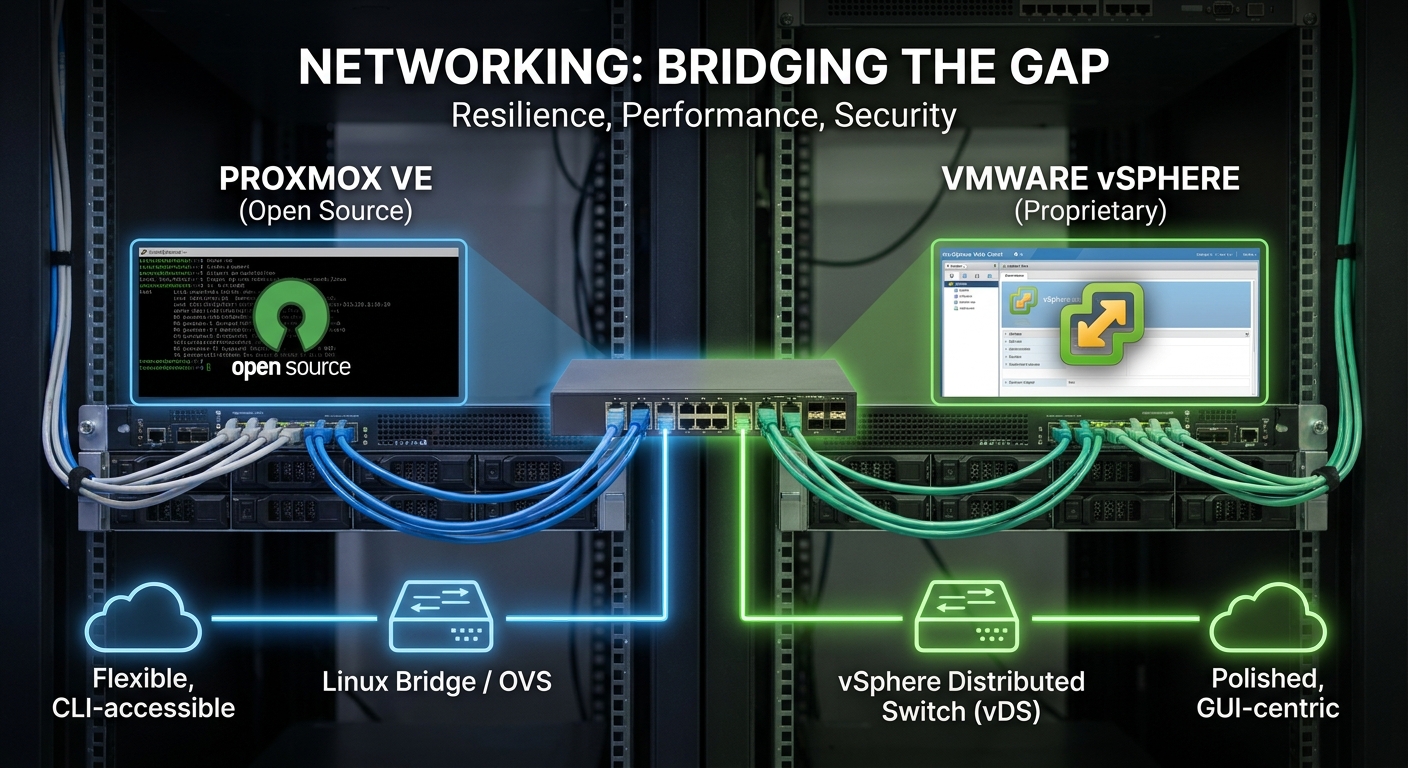
VMware gives you the vSphere Standard Switch (vSS) as the foundation. It’s polished, predictable, and feels like it was designed by people who really love consistency. The star of the show is the Port Group — my favorite VMware networking concept.
Think of a Port Group as a reusable policy template. You define the VLAN, security settings, and traffic shaping once, give it a sensible name, and then attach as many VMs as you want. It’s like having a rubber stamp that guarantees every machine in the “Production” group behaves exactly the same way. I’m a huge fan of this approach.
For larger environments, VMware brings out the big guns: the vSphere Distributed Switch (vDS). This creates one logical switch that spans your entire cluster. Change a setting once in vCenter and it applies everywhere. It’s incredibly elegant — and, as we’ll discuss later, comes with a licensing cost.
Proxmox takes a refreshingly different route. Instead of building its own proprietary networking layer, it says, “Why reinvent the wheel when Linux has been perfecting this for decades?” The default is the trusty Linux Bridge (usually called vmbr0).
It’s simple, rock-solid, and surprisingly capable. But when you need more horsepower, Proxmox lets you enable Open vSwitch (OVS). This opens up a whole new world of granular flow control, tunneling protocols, and advanced features.
The trade-off? You’re now swimming in the deeper waters of Linux networking. If your team lives in GUIs, this can feel like being handed the keys to a race car after years of driving an automatic. (Painfully common story, by the way.)
VLANs: Building Secure Neighborhoods
Segmentation isn’t optional in zero-downtime architecture — it’s table stakes for both security and performance.
VMware makes this delightfully straightforward. You create a Port Group, slap a VLAN ID on it, and you’re done. Every VM attached to that group automatically gets the correct tagging. Clean, simple, scales beautifully.
Proxmox gives you two main paths, and I have strong opinions here:
- The Explicit Approach: Create a separate bridge for each VLAN (
vmbr0.10,vmbr0.20, etc.). This is wonderfully obvious and great for smaller setups. - The Scalable Approach (my personal recommendation): Use a VLAN-aware bridge. You configure one bridge on the host and let the individual VMs specify their VLAN tag in their own network adapter settings.
The second method keeps your host configuration remarkably clean. My unbreakable rule: if you’re managing more than five VLANs, go VLAN-aware. Your future self will thank you.
No Single Points of Failure: Bonding and Teaming
Here’s a truth I’ve learned the hard way: a single physical NIC is a liability, not a feature.
Both platforms solve this through link aggregation (called NIC Teaming in VMware and Bonding in Linux/Proxmox).
VMware offers several teaming policies. The simplest (“Route based on originating port ID”) gives you excellent failover. For more active throughput, you can use IP hash — but only if your physical switches are configured to play nice.
Proxmox uses standard Linux bonding modes. My go-to for most production workloads is mode 4 (802.3ad/LACP). Yes, it requires switch configuration, but the payoff is worth it.
My minimum standard for any serious workload: at least a two-port LACP bond. This protects you from cable disasters, dying NICs, and switch port failures. I’ve seen this exact setup save multiple environments from what would have been major outages.
The SDN Revolution: NSX vs Proxmox SDN
Now we’re entering the really fun stuff.
VMware’s NSX is the enterprise champion of Software-Defined Networking. It lets you treat the network as code. The micro-segmentation capabilities are genuinely impressive — you can put a firewall around every single workload. It completely decouples virtual networking from physical hardware using overlays.
It’s powerful. It’s also expensive.
What fascinates me about Proxmox is how they’ve brought serious SDN capabilities to the masses. Using open standards like VXLAN, BGP, and EVPN, you can build sophisticated virtual networks that span clusters and even datacenters — all configured through the web GUI.
This isn’t “enterprise lite.” It’s genuinely powerful networking that doesn’t require a six-figure licensing agreement. I get genuinely excited when I think about what this means for smaller teams and organizations.
Philosophy Matters: GUI vs “The Metal”
This is where the cultural differences become most obvious.
VMware’s world is beautifully integrated and GUI-first. Almost everything can be done through vCenter with a consistent, predictable workflow. For many teams, this coherence is worth the price of admission.
Proxmox takes a more transparent approach. The web GUI is excellent for day-to-day tasks, but it never tries to hide what’s happening underneath. You can always crack open /etc/network/interfaces and see (and edit) the actual Linux configuration.
I love this dual nature. When things are calm, use the GUI. When you need to automate, script, version-control with Git, or do something truly custom? The command line and configuration files are right there.
It’s the difference between a beautifully wrapped present and being handed the tools to build your own.
How to Choose: The Three Question Framework
So which one should you use?
After watching many organizations make this decision, I’ve distilled it down to three honest questions:
1. Cost Reality
VMware’s advanced features (Distributed Switches, NSX, etc.) come with serious licensing costs. Proxmox is open source. The financial difference can be staggering.
2. Team DNA
Are your people vCenter power users who live in the GUI? Or are they Linux-native engineers who enjoy understanding what’s happening under the hood? Forcing the wrong culture fit creates unnecessary friction.
3. Actual Requirements
Do you need straightforward, reliable networking? Or are you building something that genuinely requires micro-segmentation and advanced SDN capabilities?
Answer these three questions honestly and the right platform usually becomes obvious.
The Bottom Line
VMware offers a mature, polished, tightly integrated networking ecosystem that feels like a luxury car — smooth, feature-rich, and expensive to maintain.
Proxmox offers a flexible, transparent, incredibly powerful platform that leverages the full might of the Linux networking stack. It’s more like a high-performance workshop where you have access to every tool, if you’re willing to learn how to use them.
Neither is universally “better.” The best choice is the one that aligns with your budget, your team’s skills, and your actual needs.
Thanks for hanging out with me today! I hope this comparison gave you some clarity (and maybe even some excitement) about the networking possibilities in both platforms.
Next time in Episode 6: “Case Study: A Small Business’s Cost-Saving Migration” — we’ll look at how one company successfully moved from VMware to Proxmox, the surprises they encountered, and the lessons that could save you from making the same mistakes.
Drop your thoughts in the comments! Have you made the switch between these platforms? Are you team Linux Bridge or team Open vSwitch? I read every comment.
Until next time — build resiliently, my friends.
— Your infrastructure mentor