
Hello and welcome back to Architecting Zero Downtime Infrastructure!
This is our fourth episode, and today we’re tackling what I consider one of the most valuable operational skills in any Proxmox environment: moving virtual machines from one physical host to another without causing chaos.
Think of it this way — if your cluster is a living, breathing orchestra, VM migration is your ability to swap out instruments while the music is still playing. When you master this, you stop reacting to problems and start engineering genuine flexibility.
By the end of this post, you’ll know exactly which migration method to use in any situation, how to execute it confidently, and how to avoid the painful (and surprisingly common) pitfalls that make grown admins question their life choices.
Why VM Mobility Matters More Than You Think
Let’s be honest. Moving VMs sounds boring on paper. But the ability to relocate workloads gracefully is the foundation of resilient infrastructure.
Here are the real-world scenarios where this skill becomes pure gold:
Planned Maintenance
Need to add RAM, replace a failing drive, or apply kernel updates? You can evacuate every VM first, do your work, then bring everything back. The users never notice.
Proactive Load Balancing
That one host has been running hot for weeks? Instead of hoping nothing explodes, you can surgically move the noisy VMs to a quieter node before performance degrades.
Smart Storage Economics
Move a VM from blazing-fast NVMe storage to high-capacity HDDs when it transitions from “hot” project to “long-term archive.” Your wallet will thank you.
The Foundation of Real High Availability
All the fancy HA features we’ll talk about later are really just automated versions of the migration techniques we’re covering today.
This isn’t just a feature. It’s infrastructure freedom.
Cold Migration: The Reliable Safety Net
Let’s start with the simplest approach — what we call a cold migration.
The process is exactly what it sounds like:
- Gracefully shut down the VM
- Right-click in the Proxmox web interface ? Migrate
- Choose your destination node
I always recommend starting here when you’re learning because it’s nearly bulletproof. It doesn’t care whether you’re using local storage or shared storage. It just works.
The obvious downside? The VM is offline during the entire process. For a development or test machine, this is perfect. For a production database server? Not so much.
My rule of thumb: If the VM can tolerate downtime, use cold migration. It’s the method I reach for when I want zero drama.
Live Migration: The Holy Grail
Now we’re talking about the cool stuff.
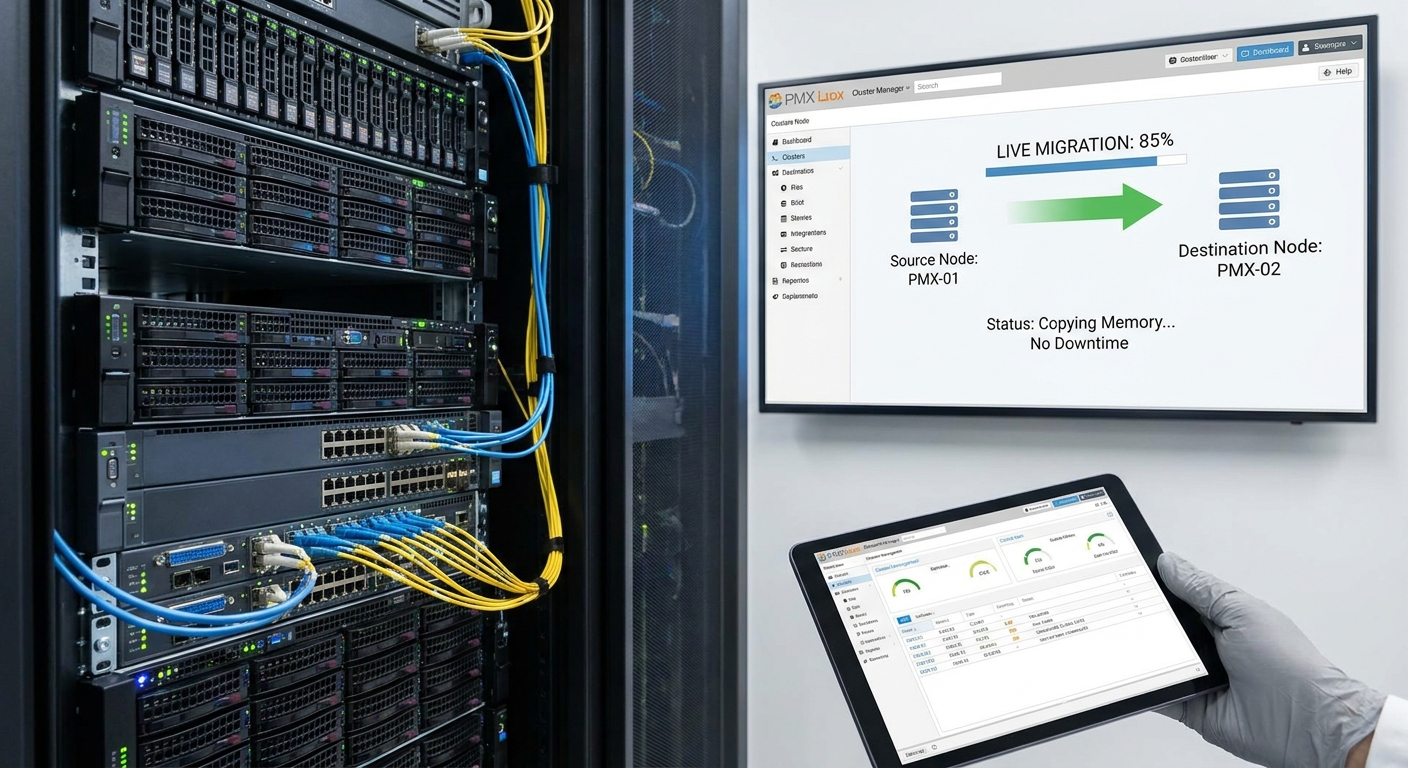
Live migration lets you move a running VM from one host to another with zero perceptible downtime. We’re talking sub-second interruptions that don’t even drop TCP connections. It’s borderline magical when you see it the first time.
But magic always has requirements.
The fundamental key is shared storage (NFS, iSCSI, Ceph, etc.). If all your hosts can see the same disk files, Proxmox doesn’t need to move the virtual disks — it only needs to move the living memory of the VM.
Here’s what actually happens under the hood:
Proxmox starts copying the VM’s memory pages to the destination host. It does this iteratively, keeping track of which pages change while the copy is happening. Once the two hosts are almost perfectly in sync, it pauses the VM for a tiny fraction of a second (usually 20-100ms), copies the final “dirty” pages, and flips control to the new host.
Your users? They rarely notice anything.
My unbreakable rule: In any serious cluster, I insist on a dedicated 10GbE (or better) migration network. This isn’t optional if you want reliable live migrations. The network is the highway your VM’s entire memory has to travel across — don’t make it use a dirt road.
When You’re Stuck With Local Storage
Many of us (myself included in the early days) run our clusters with local disks. Don’t worry — Proxmox has you covered.
Offline Storage Migration is beautifully simple. You power off the VM, tell it to migrate, and Proxmox automatically handles both the disk transfer and the VM configuration in one operation. It’s remarkably clean.
But the real game-changer is Live Storage Migration.
This feature still blows my mind. It can move a running VM and its disks from one host’s local storage to another host’s local storage simultaneously. No shared storage required.
The power is incredible. The resource consumption is… significant.
I always warn people: this operation is heavy. It hammers both network bandwidth and storage I/O on two hosts at once. Think of it like moving houses while simultaneously hosting a dinner party. It can be done, but everyone’s going to feel it.
Use it deliberately. Schedule it during maintenance windows when possible.
When Things Go Wrong (And They Will)
Let’s talk about the painfully common failure modes so you don’t have to discover them at 2 AM.
The error log is your best friend. When a migration fails, read it. Don’t just restart the task and hope.
The usual suspects are:
- CPU Mismatch: Moving between dramatically different processor generations (especially Intel to AMD or very old to very new). The VM may refuse to start on the new host.
- Network Issues: Firewall blocking ports 60000-60003, or a congested/slow migration network causing timeouts.
- Storage Problems: Insufficient space or permission issues on the target. (You’d be shocked how often this one bites people.)
My diagnostic process: Check CPU compatibility first, then network, then storage. Ninety percent of migration issues are solved by these three checks.
From Manual Hero to Automated Resilience
Here’s where everything clicks together.
All the techniques we’ve discussed are building blocks for Proxmox High Availability (HA).
HA is essentially an automation layer that watches your cluster. If a node dies, HA automatically restarts those VMs on healthy nodes using the same migration capabilities we’ve been talking about. You go from “I need to be awake and ready to respond” to “the cluster heals itself while I sleep.”
That’s not just convenient. It’s a completely different philosophy of infrastructure.
Your Migration Toolkit, Summarized
- Cold Migration: Universal, safe, requires downtime
- Live Migration: Zero-downtime magic (requires shared storage)
- Live Storage Migration: The nuclear option for local storage setups
The real skill isn’t knowing how to do all three. It’s knowing which one to use in any given situation.
Master these tools and you’ll never look at your cluster the same way again.
That’s it for today, my friends.
You now have a complete mental model for moving VMs in Proxmox with confidence. Next time, we’re going deep on networking — specifically “Networking in Proxmox vs. VMware: Bridging the Gap.” We’ll talk virtual switches, VLANs, bond configurations, and how to build the rock-solid virtual networks that make everything else possible.
I can’t wait to share it with you.
In the meantime, I’d love to hear from you. What’s been your biggest migration horror story (or triumph)? Drop a comment below or reach out on social. I read every single one.
Until next time — keep building systems that just work.
— Your friendly infrastructure mentor
Leave a Reply