
Hello and welcome back! It’s great to have you here for episode nineteen of Architecting Zero Downtime Infrastructure.
This week, we’re diving into a topic that I believe is the absolute cornerstone of any serious business continuity plan: ZFS Replication.
So many organizations I talk to believe they’re safe because they have a nightly backup. And look, a backup is fantastic—it’s about data preservation. But a real disaster recovery plan is about service availability. The fundamental question we need to answer isn’t just, ‘Can I get my files back?’ It’s, ‘How quickly can I get my business running again?’
This is where ZFS replication changes the game entirely. It moves us beyond simply protecting data and towards guaranteeing the availability of the critical services that depend on it. Let’s get into it.
What is ZFS Replication, Really?
It’s tempting to think of ZFS replication as just a fancy way to copy files, maybe like using a tool like rsync. But the process is fundamentally different, and in my experience, infinitely more robust.
Let me paint a vivid picture for you. Using rsync is like sending a scout to another library with a list of books. The scout checks each book, one by one, to see if it’s changed, and then brings back the updated versions. It works, but there’s a lot of room for error and it can be slow if the library is huge.
ZFS replication, on the other hand, is like having a magical teleporter. It takes an instantaneous, read-only picture of your entire dataset—a snapshot—and serializes that entire picture into a single stream of data. We’re not copying files; we’re transmitting the exact state of the filesystem at a precise moment in time, block by block.
The benefits here are profound:
- Absolute Consistency: The operation is atomic. It’s an all-or-nothing deal. You will never get a half-finished, corrupt copy.
- Blazing Efficiency: Since it works at the block level, it’s incredibly fast.
- Guaranteed Integrity: ZFS has built-in checksums, so you have mathematical proof that the data that arrives is identical to the data that was sent.
The Mechanics: zfs send and zfs receive
At the heart of this entire process are two beautifully simple, yet incredibly powerful commands: zfs send and zfs receive. They are the dynamic duo of data resilience.
- zfs send: This command takes one of those snapshots we just talked about and converts it into that serialized stream. It’s a complete, self-contained representation of your dataset.
- zfs receive: This command listens for that stream on a destination server and perfectly reconstructs the dataset, block for block. It even brings over all the dataset’s properties, like compression settings or user quotas. It creates a perfect clone.
So how do we connect them? My personal favorite method, and the standard practice, is to pipe the stream directly over a secure channel like SSH. The elegance of this design still impresses me.
In practice, a command for a full replication looks something like this:
Bash
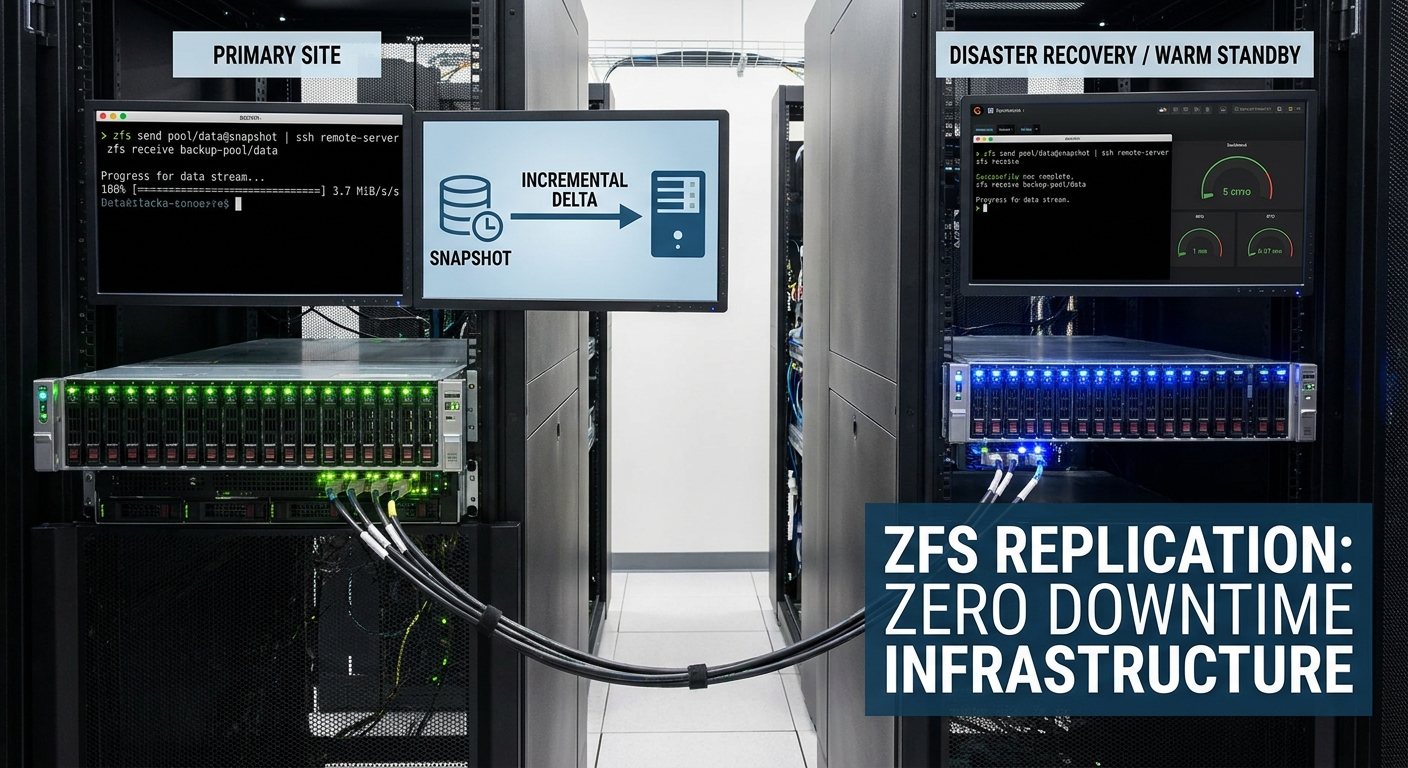
zfs send pool/data@snapshot-1 | ssh remote-server zfs receive backup-pool/data
That single line encapsulates a secure, atomic, and verifiable transfer of your most critical data. How cool is that?
The Magic of Incremental Replication
Now, you might be thinking, “That’s great, but my initial transfer is several terabytes. That’s going to take forever!” And you’re right, it will. But this is where the real magic of ZFS reveals itself: incremental replication.
Once that first full snapshot is safely on your remote server, you never have to send the whole thing again. Ever. For every subsequent transfer, you only send the difference—the delta between the snapshot you last sent and the new one you just created.
This completely changes the economics of disaster recovery. Your transfers can shrink from terabytes down to megabytes or even kilobytes. Because these updates are so small and fast, you can run them with incredible frequency with almost no impact on your production systems.
My personal rule of thumb for critical datasets is to replicate every fifteen minutes, or even every five. This is how we achieve a very low Recovery Point Objective (RPO). You’re no longer risking a full day of data loss; you’re risking just a few minutes. That is a fundamental shift in how you protect your business.
Use Case 1: The Reliable Offsite Backup
Let’s walk through the most common use case: creating a rock-solid offsite backup to protect against a site-level disaster like a fire, flood, or major power outage.
For that initial, multi-terabyte transfer, sending it over the internet is often impractical. What I find works best is to ‘seed’ the remote server. We’ll do the first zfs send to a large, encrypted external hard drive. Then, we physically ship that drive to our disaster recovery site, plug it in, and use zfs receive to load the baseline data. The heavy lifting is done.
From that point on, it’s all about simple automation. We set up a cron job or a systemd timer to run on a schedule. The script automatically:
- Creates a new snapshot on the primary server.
- Performs an incremental zfs send to the offsite server.
Because it’s only sending the changes, the transfer is small, fast, and reliable. Your data is now safely and consistently mirrored somewhere else, ready for you when you need it most.
Use Case 2: The Warm Standby Server
An offsite backup is fantastic, but for truly critical services, we can elevate this concept to a full disaster recovery strategy. This is where we build a ‘warm standby’ server.
The replication mechanism is exactly the same, but we drastically increase the frequency. Instead of nightly, we replicate every five minutes.
Now, imagine your primary server completely fails. With a warm standby, the recovery process is beautifully straightforward. We simply log into the standby machine, ‘promote’ the replicated dataset to make it read-write, and repoint our applications to this secondary server.
Just like that, you are back in business. We’ve moved beyond restoring files from a backup; we are restoring an entire service. This is how we dramatically reduce our Recovery Time Objective (RTO) from potentially hours or days down to mere minutes.
Common Pitfalls and How to Avoid Them
As powerful as this all is, it’s not infallible. I’ve seen a few common, and painfully avoidable, mistakes trip people up.
- Snapshot Runaway: This is the big one. Every snapshot you create consumes space. Without an automated process to prune old ones, you will eventually fill up your storage pool. It’s not a matter of if, but when.
- ZFS Version Mismatch: ZFS is incredibly backward compatible, but trying to send new features to an older ZFS version on the receiving end can cause failures. Keep your systems reasonably in sync.
- Silent Failures: What happens if the network drops mid-transfer, or a script fails to run? A silent failure is the most dangerous failure of all. My unbreakable rule: a replication system without monitoring is a system you don’t actually have. You must have robust alerting that tells you when a replication cycle fails.
Automation is Your Best Friend
Given those pitfalls, you can see why running these commands by hand just isn’t a scalable or reliable strategy for a production system. What I always implement is a solid layer of automation.
You could write your own shell scripts, but what I find works best is to use dedicated, well-supported management tools. There are some fantastic open-source options out there. I’ve had a great deal of success with tools like sanoid and its partner syncoid, and another excellent one is znapzend.
These tools are built to manage the entire lifecycle for you. They handle:
- Snapshot creation on a defined schedule.
- The replication process itself (including resuming failed transfers!).
- And critically, the automated pruning of old snapshots to keep your storage healthy.
This makes the whole process robust, consistent, and truly hands-off.
Tying It All Together
So, what I hope you take away from our discussion today is that ZFS replication is far more than just another backup tool. You’ll find it’s one of the most powerful, efficient, and fundamentally consistent methods for achieving real business continuity.
We’ve seen how it enables that essential offsite backup to protect you from disaster, and how you can use that same mechanism to build a warm standby server, bringing your recovery time down from hours to minutes.
Once you have that level of confidence—knowing your data is safe and recoverable—the next logical question is, “How can I make it faster?”
That’s a perfect lead-in to our next episode! I hope you’ll join me next time for episode twenty, ‘Performance Tuning ZFS: Recordsize, Compression, and You’, where we’ll dive into optimizing your pools for the specific workloads you run.
Thanks for reading! As always, I’d love to hear your questions or experiences with ZFS replication in the comments below.
Leave a Reply